A Clean Mac-Style Dock for Windows — Without System Bloat
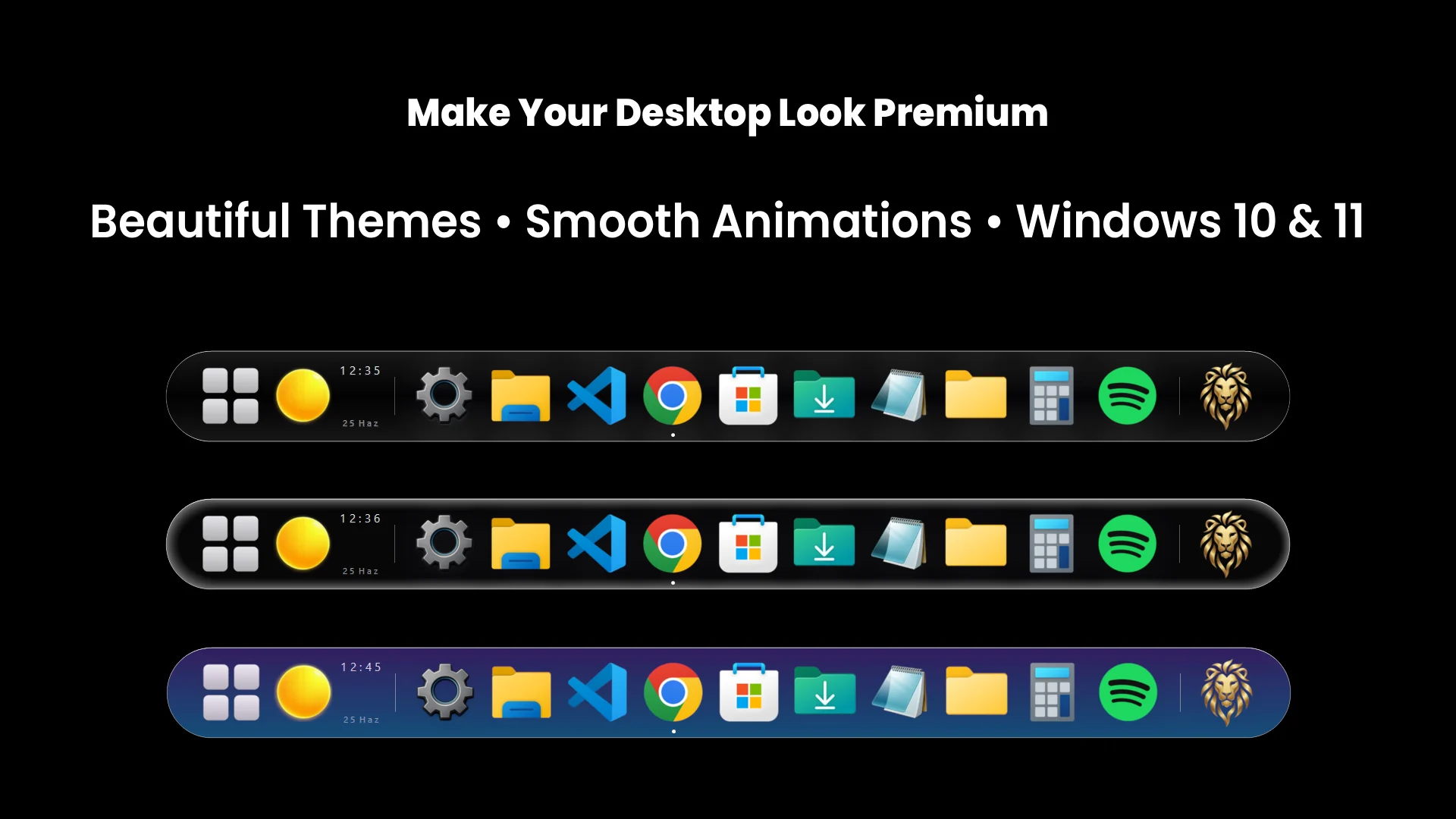
Bring macOS-inspired dock ergonomics, 14 glassmorphism themes, and live folder previews to Windows 11 and 10 through a ~3.5MB Microsoft Store app that never patches system files.
How Windows Dock Approaches Compare
Understanding the engineering trade-offs between standalone Store launchers, full OS skin suites, and Explorer.exe memory hooks.
| Capability | Aspinal Dock | Full OS Skin Suites | Taskbar DLL / Hook Mods |
|---|---|---|---|
| Install Footprint | ~3.5 MB lightweight package | Often 100 MB+ with bundled extras | Framework + community plugin scripts |
| Windows Update Safety | Standalone Microsoft Store app — zero DLL patching | Hooks shell components that may conflict | Injects into Explorer.exe; can break after cumulative updates |
| Folder Organization | Multiple Folder Previews (Folder Stacks) & drag-and-drop | Varies by skin package | Limited to standard Windows taskbar pinning |
| Visual Themes | 14 built-in Glassmorphism themes + live preview | Requires external theme downloads | Manual CSS/JSON styling rules |
| Multi-Monitor & Refresh Rate | Multi-monitor support + 144Hz+ fluid animations | Higher GPU/RAM overhead on multi-screen | Depends on Windows 11 taskbar behavior |
| License & Privacy | $2.99 one-time · Local-only data, zero telemetry | Paid tiers or third-party launchers | Free open-source mods (DIY maintenance) |
Zero Explorer.exe Patching
Windows cumulative updates frequently break tools that inject DLLs into the system shell. Aspinal Dock operates cleanly in user space via Microsoft Store.
- Safe across Windows 11 updates
- Clean one-click Store uninstall
- Local config in %LocalAppData%
14 Glassmorphism Themes
Switch effortlessly between frosted dark glass, subtle gold borders, and clean translucent Dock surfaces with real-time visual previews.
- Live customization preview
- Dark mode ready
- 20 interface languages
Built for Daily Speed
Open apps, check live window previews, and browse Folder Stacks on 144Hz+ monitors without sacrificing gaming or workstation performance.
- ~3.5 MB install size
- Auto-hide for full-screen apps
- Multi-monitor support
Frequently Asked Questions
Clear answers about Aspinal Dock compatibility, architecture, licensing, and privacy.
Can I get a Mac-style dock on Windows 11 without slowing down my PC?
Yes. Aspinal Dock is engineered with a ~3.5MB footprint and minimal background resource usage so animations stay responsive on 60Hz to 144Hz+ displays.
Does Aspinal Dock replace or break the native Windows taskbar?
No. Aspinal Dock runs alongside Windows cleanly without modifying system registry shell replacements or Explorer.exe binaries, and includes an auto-hide mode whenever you work full-screen.
Are all 14 glassmorphism themes included in the $2.99 purchase?
Yes. Every theme, folder stack preview, animation setting, and multi-monitor option is included in the single $2.99 perpetual license.
Where is Aspinal Dock downloaded from?
Directly from the official Microsoft Store (Product ID 9NP9FG0H7JNJ), ensuring verified package delivery and secure Microsoft checkout.